
Critical PHP Security Vulnerabilities: What Website Owners Need to Know
Two critical security vulnerabilities have been identified, affecting all websites running PHP.
Choosing a payment gateway for a WooCommerce store can feel like one of those jobs you’ll get around to eventually. Stripe? PayPal? Bank transfer? Pay on Account? Maybe all of them?
But your payment setup is about much more than simply getting a customer’s money from A to B. The right setup can make checkout easier, reduce admin, automate accounting and dramatically improve how your business handles orders after the sale.
The wrong one can leave you manually matching payments to orders at 11pm.
We’ve built enough WooCommerce stores to know which side of that equation we’d rather be on…

A payment gateway is the bit of technology that connects your WooCommerce checkout to a payment provider.
The customer places an order, the gateway handles the payment and WooCommerce receives confirmation of what happened.
There are several types of gateway, including online card payments, digital wallets, alternative payment methods and offline options such as bank transfer. WooCommerce itself supports a wide range of payment gateway approaches.
The important thing is that you don’t necessarily need to choose just one.
For many businesses, the best WooCommerce checkout might offer Stripe alongside PayPal, Apple Pay or Google Pay, and perhaps Pay on Account for approved trade customers.
The trick is working out what makes sense for your customers and your business.
A massive 4million+ online stores are built with Woo!
[SOURCE]
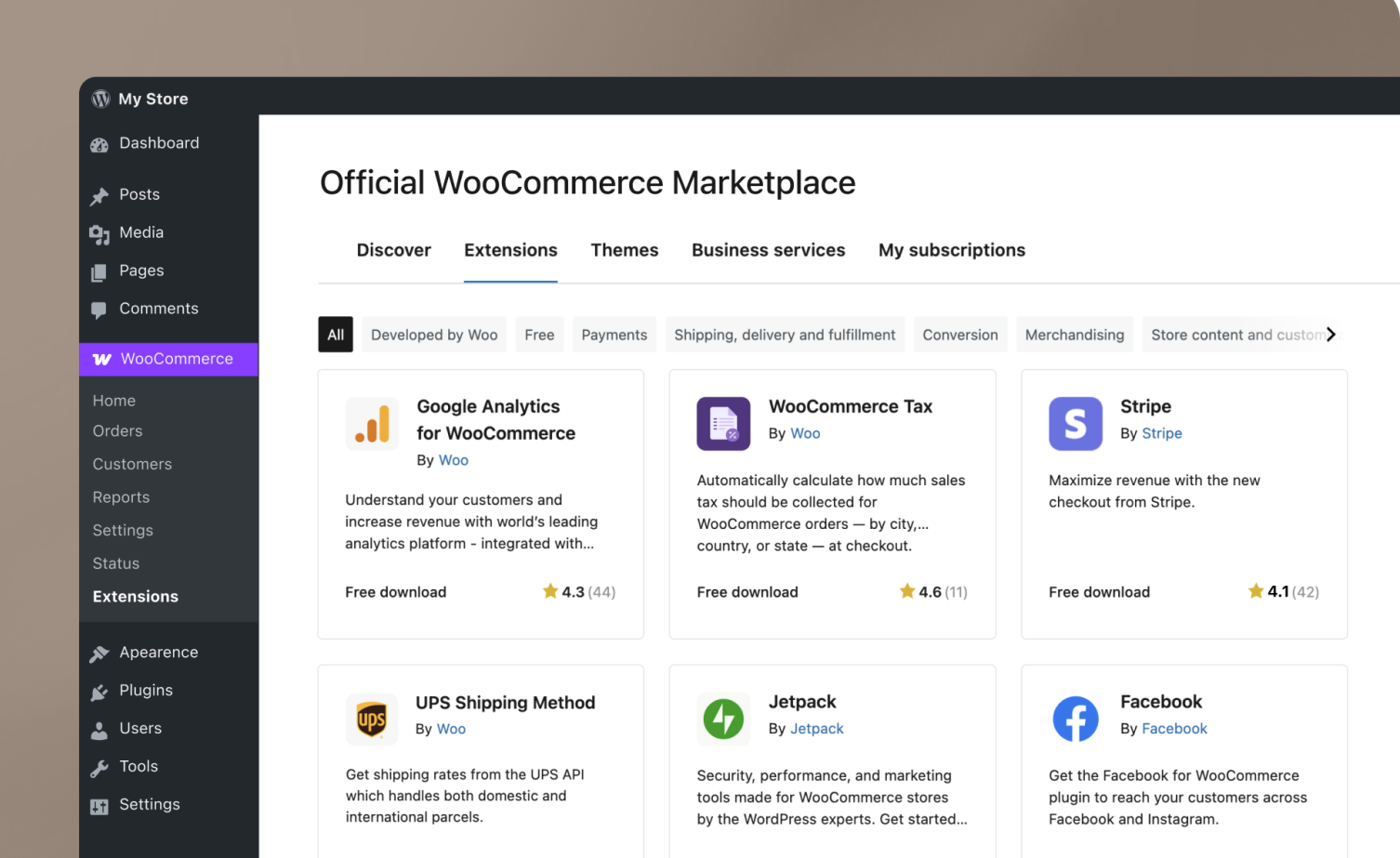
Stripe is often our go-to for WooCommerce stores because it’s flexible, well supported and integrates neatly into the checkout experience.
The official WooCommerce Stripe extension supports cards, express payment methods such as Apple Pay, local payment methods and various buy-now-pay-later options, depending on eligibility and market.
That’s useful because customers increasingly expect to be able to pay how they want, rather than being forced through one particular payment method.
Stripe can also securely save payment methods for returning customers, making repeat purchases quicker.
Stripe is particularly good for:
And there are plenty of additional payment methods available if your audience needs them.
One important point: don’t add every available payment method just because you can. More isn’t automatically better. A checkout should be useful, not look like the departures board at Heathrow.
PayPal has been around for what feels like approximately 400 years in internet time, but there’s a reason customers still use it.
The current WooCommerce PayPal Payments extension supports PayPal alongside options including advanced card payments, Pay Later and various local payment methods, depending on market.
For some customers, the appeal is simple: they already have a PayPal account and don’t want to type their card details into yet another website.
For international stores, PayPal can also provide another familiar payment option for customers who may not be comfortable using your primary gateway.
PayPal can make sense when:
And there’s no rule saying Stripe and PayPal can’t live happily together.
In fact, for many stores, they shouldn’t be an either/or decision.
This is where things get interesting.
If you’re selling B2B, trade or wholesale, your customers may not want to pull out a credit card every time they order.
They might expect to:
Place order → receive goods → receive invoice → pay later.
That’s Pay on Account.
WooCommerce supports offline payment methods such as bank transfer, while dedicated extensions can provide more sophisticated “pay later” or invoice workflows.
The important distinction is that Pay on Account isn’t simply another payment gateway.
It’s a business process.
You need to think about:
For a B2B WooCommerce store, getting those answers right can be considerably more valuable than shaving a few milliseconds off the checkout.
This is where a well-built WooCommerce site can become much more than an online shop.
Imagine this:
Customer places order
↓
WooCommerce creates the order
↓
Payment is processed
↓
Order information is sent to your accounting system
↓
Invoice is created automatically
↓
Payment is reconciled
↓
Your accounts team can go pop the kettle on
That’s considerably better than downloading a CSV every Friday and spending three hours matching transactions.
For example, the official Xero for WooCommerce extension can create invoices in Xero for WooCommerce sales and send information including products, shipping, discounts and tax.
It can also be configured around when invoices and payments are sent to Xero, depending on the workflow you need.
For larger or more complex stores, there are also dedicated integrations which can synchronise orders, payments, customers, products, inventory and other information between WooCommerce and Xero.
That’s a completely different proposition to simply adding a card machine to your website.
One of the biggest mistakes we see is choosing a payment gateway based purely on:
“How much does it cost per transaction?”
That’s important, obviously.
But imagine Gateway A costs slightly less per transaction but requires your accounts team to manually reconcile every order.
Gateway B costs a little more but automatically feeds the information into Xero and reduces several hours of admin every week.
Suddenly the cheapest payment gateway isn’t necessarily the cheapest solution.
When we’re building a WooCommerce store, we like to map the entire journey:
Product → basket → checkout → payment → order → fulfilment → invoice → accounting → reporting
Because that’s where the real efficiencies are hiding.
If your business sells recurring products or services, payment gateway choice becomes even more important.
Think:
WooCommerce Subscriptions can handle recurring payments, but your chosen payment gateway needs to support the subscription workflow you require.
Stripe and PayPal Payments both have WooCommerce integrations that support subscription-related functionality, although exactly what is available depends on the payment method and configuration.
This is another reason to think about the business model first and the plugin second.
Selling outside the UK? No problem.
Currency, local payment methods, wallets, tax and settlement currencies can all become considerations.
For example, WooCommerce’s Stripe integration supports local payment methods and offers Adaptive Pricing for eligible merchants, allowing international customers to see and pay in their preferred currency while the merchant receives payouts according to Stripe’s supported configuration.
Don’t assume that because a gateway works perfectly for a UK checkout it’ll automatically be the best solution for a Dutch, German or Japanese customer.
Your customers’ preferred payment methods matter.
Payment isn’t the part of a WooCommerce build where we’d recommend getting creative.
While we usually recommend keeping plugin use to an essential minimum, payment gateways are the exception. Official payment gateways are secure, robust and thoroughly tested in the real world by real businesses. Most work out of the box with little configuration. Let them do the heavy lifting.
31% of the top 1 million ecommerce sites use WooCommerce so you’re in good company!
[SOURCE]
Use established payment providers and maintained integrations. Keep WordPress, WooCommerce and payment extensions up to date. Make sure your site uses HTTPS.
For example, WooCommerce’s Stripe documentation requires an SSL certificate and a recent WordPress/WooCommerce environment.
There are also different technical types of gateway. Some redirect customers to the payment provider, some use embedded payment interfaces and others process payment fields directly on the site. The architecture affects your security and compliance responsibilities.
In other words: don’t bolt a random payment plugin onto a live shop because it has five stars and 400 downloads.
There’s no universal winner.
| Business | Likely starting point |
|---|---|
| Standard UK ecommerce | Stripe |
| Consumer store wanting PayPal | Stripe + PayPal |
| International ecommerce | Stripe + relevant local methods |
| B2B / trade | Stripe + Pay on Account |
| Subscription business | Stripe/PayPal + WooCommerce Subscriptions |
| Wholesale | Pay on Account + accounting integration |
| Complex accounting workflow | Payment gateway + Xero/accounting integration |
And these are starting points, not rules.
The right combination depends on your customers, average order value, geography, payment terms, products and internal processes.
That’s probably the biggest lesson.
A good payment system shouldn’t become the star of the show. Customers should be able to pay quickly and confidently, orders should appear correctly in WooCommerce, payments should reconcile, invoices should get where they’re supposed to go and your team shouldn’t spend half a day moving numbers between spreadsheets.
WooCommerce isn’t just your shop window. Done properly, it can become the front end of your entire sales operation.
And that’s the bit we love building at DCOED.
Looking for an experienced WooCommerce developer to build your local business online store? Come say hi.
No unnecessary complexity. No plugin soup. Just the right combination of WooCommerce, payment processing and third-party integrations to make the whole thing work properly. Lovely.

Yes, we provide complete WooCommerce development services to help you set up and manage your online store. Our WooCommerce solutions include custom store design, payment gateway integration, product management, and ongoing support to ensure your eCommerce website is successful.
The Benefits of WooCommerceShopify and WooCommerce are both popular e-commerce platforms, but they differ significantly in their approach and features.
Shopify is a fully hosted solution, meaning it provides everything you need to set up and run an online store, including hosting, security, and maintenance, in exchange for a monthly subscription fee. It offers a user-friendly interface, a wide range of professionally designed templates, and integrated payment gateways.
On the other hand, WooCommerce is a WordPress plugin that allows you to turn your WordPress website into a fully functional online store. It offers unparalleled flexibility and customization options, as well as access to the vast ecosystem of WordPress themes and plugins.
More on Shopify Vs. WooCommerceYes, we provide ongoing support and maintenance services to keep your website updated, secure, and performing optimally.
We offer comprehensive support packages for WordPress websites. Our services include regular updates, security monitoring, backups, performance optimisation, and technical support to ensure your website runs smoothly at all times.
Learn why updating Wordpress matters








Imagine what we could do with your website
Or tap anywhere to carry on. We won't take it personally.